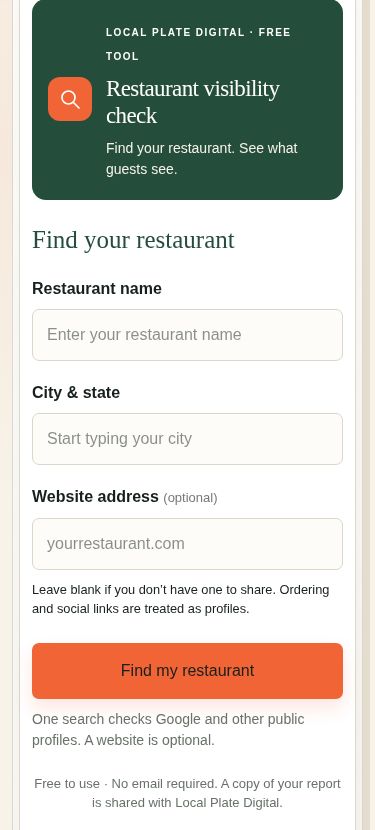
How Visible Is Your Restaurant Online?
Meet the Local Plate Digital Visibility Checker, a practical way to find missing profiles, website problems, and confusing restaurant information before those gaps cost you customers.
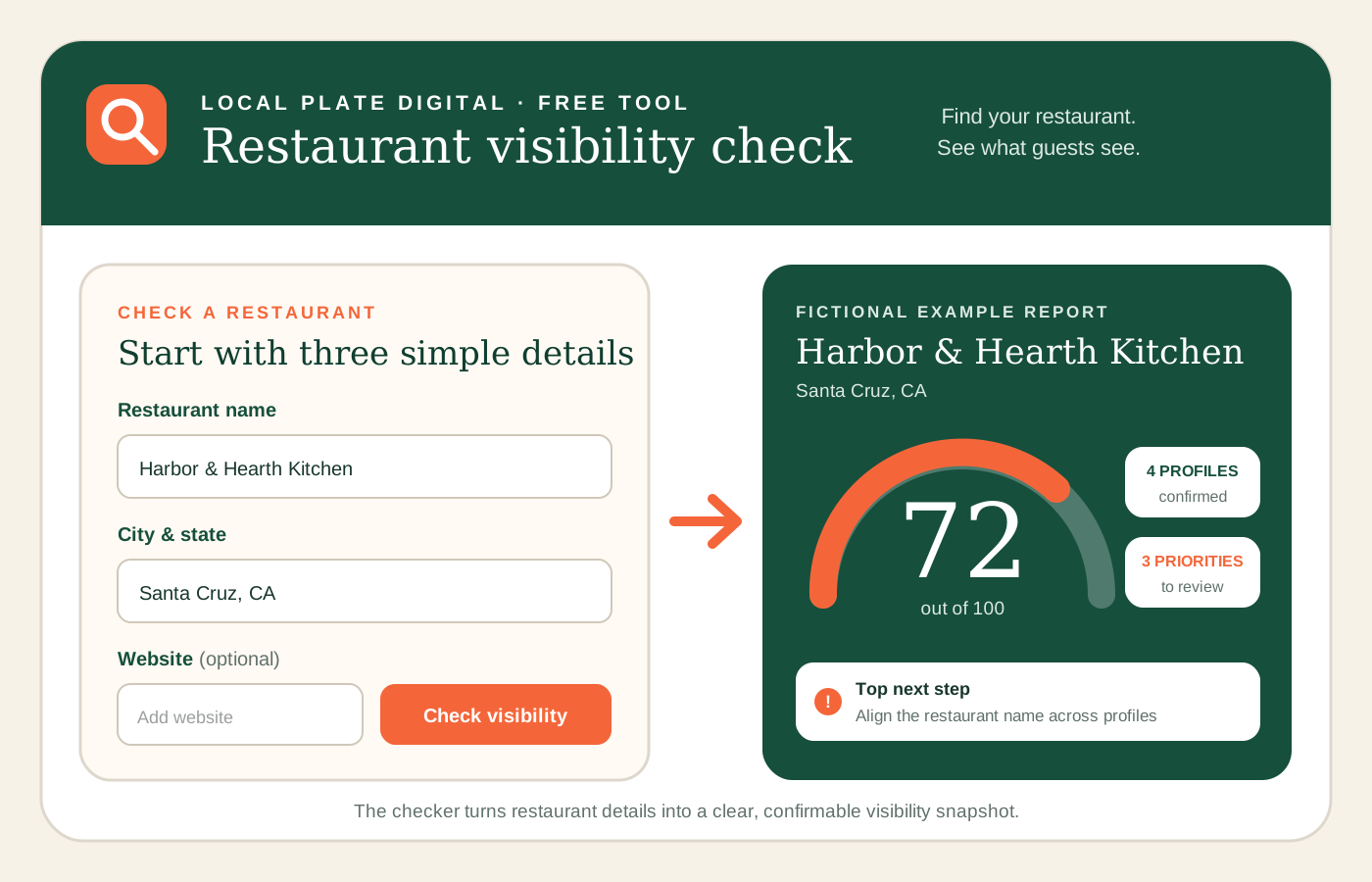
A restaurant can serve excellent food, earn loyal regulars, and still be surprisingly hard to find online. The problem is rarely one dramatic mistake. More often, it is a collection of small gaps: an old link on Google, different business names across profiles, a delivery page standing in for a website, an unclaimed listing, missing hours, or a menu that takes too many taps to reach.
Each gap adds friction at the exact moment a potential guest is deciding where to eat. One person searches on Google Maps. Another checks Yelp. Someone else sees a restaurant on Instagram and looks for a menu. A hungry customer may go directly to DoorDash, Uber Eats, or Grubhub. If those paths do not connect, the restaurant can look less established than it really is, and the customer may choose the easier option.
That is why I built the Local Plate Digital Visibility Checker. It is designed to give independent restaurants a useful starting point without forcing an owner to understand every piece of local SEO, website setup, social media, and delivery-platform management first. The checker looks at the restaurant’s public online footprint, organizes what it finds, and turns the findings into a practical report.
What restaurant visibility really means
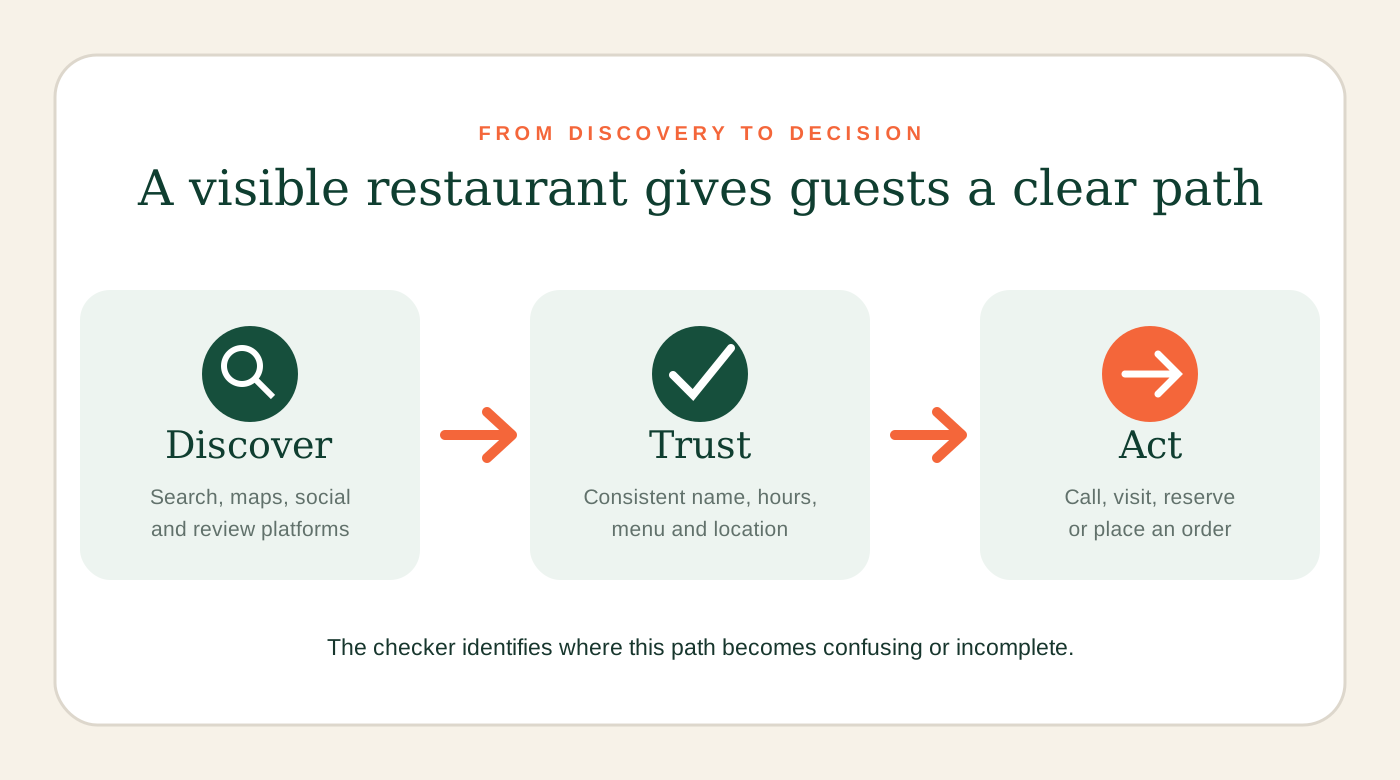
Online visibility is not simply whether a restaurant appears somewhere in search results. It is whether customers can find the correct restaurant, recognize that it is the same business across platforms, understand what it offers, and take the next step with confidence.
A strong digital presence should answer a guest’s most important questions quickly:
- Is this the correct location?
- Is the restaurant open right now?
- Where can I see the current menu?
- Can I order, call, get directions, or make a reservation?
- Do the photos, name, and information look current?
- Can I trust that this profile actually belongs to the restaurant?
Google describes a Business Profile as a way to control how a business appears in Google Search and Maps, add photos, and manage customer reviews. That makes the profile an important part of the journey, but it is only one part. A customer may move from Google to a website, from Instagram to a delivery app, or from Yelp to directions. Visibility depends on how well those pieces support one another.
I explored this idea in Make Good Food Easier to Find. The Visibility Checker applies that same principle in a practical tool. Instead of asking an owner to inspect every platform manually, it brings the most important signals into one place.
How the Local Plate Digital Visibility Checker works
The checker begins with three simple pieces of information: the restaurant name, its city and state, and the restaurant’s website if one is available. The initial check is free and does not require an email. From there, the tool looks for the business and builds a step-by-step review.
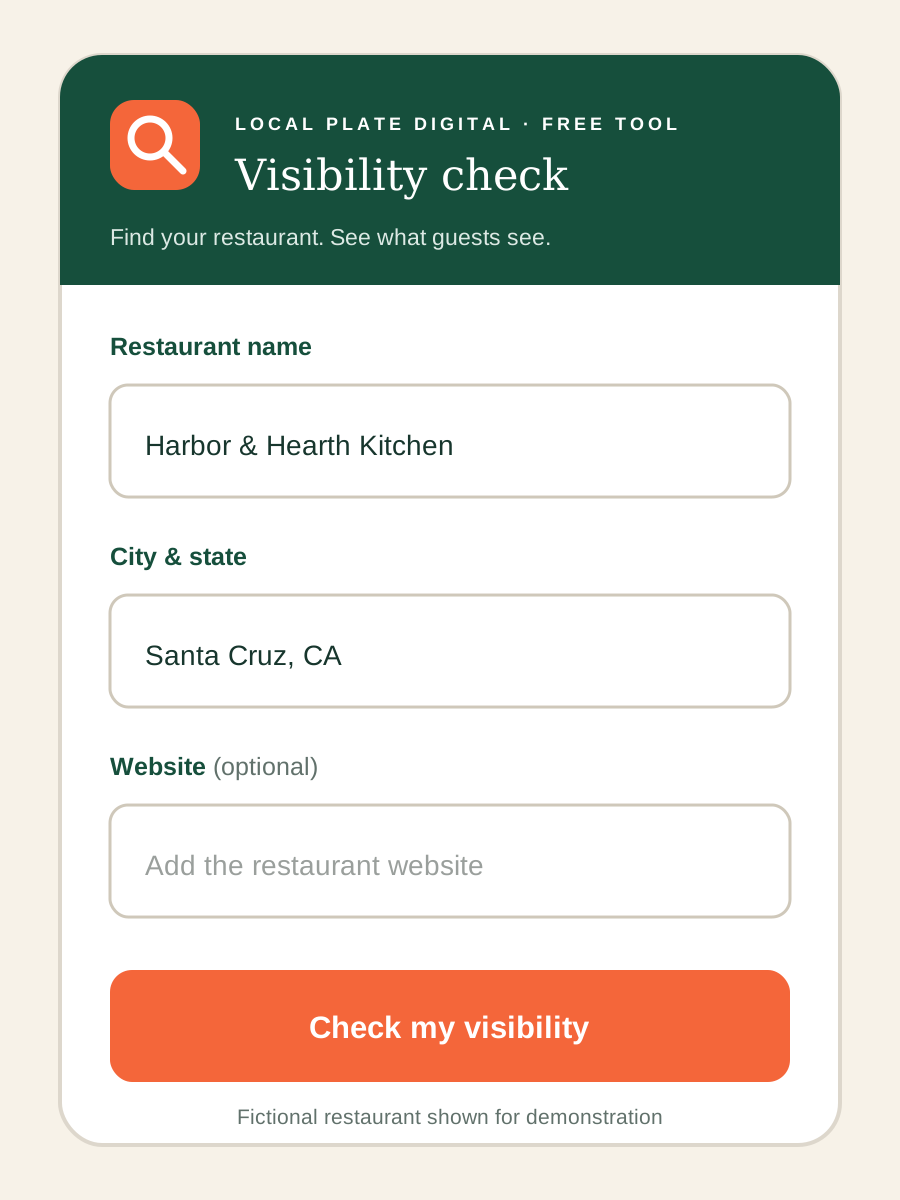
- Find and confirm the restaurant.The tool looks for likely business matches and asks the user to confirm the correct location. That step matters because similar restaurant names, multiple locations, and duplicate listings can create bad matches.
- Review the website.If a website is provided, the checker reviews useful setup signals such as a secure connection, search title, search description, mobile layout, main page heading, and business details that help search engines understand the page.
- Find public profiles.The checker searches for profiles and listings across major discovery, social, review, and delivery platforms. These may include Google, Yelp, Instagram, Facebook, Tripadvisor, DoorDash, Uber Eats, and Grubhub when relevant results are available.
- Confirm what belongs to the business.The owner can review likely matches rather than letting the tool assume every similar result is correct. This protects the report from treating another business or an outdated page as a confirmed restaurant profile.
- Build the visibility snapshot.The checker organizes the confirmed information into a score and report that shows strengths, missing pieces, items that still need confirmation, and logical next steps.
Why profile confirmation matters
Automated searches are helpful, but restaurant data is messy. A business can have a shortened name on Instagram, all-capital lettering on a delivery app, an old Facebook page, or more than one Yelp result. A restaurant may also share a name with a business in another city. A useful checker needs a way to separate a likely match from a confirmed one.
The confirmation step lets the person who knows the business verify the profiles that belong to it. The tool can then evaluate the real footprint instead of building a report on guesses. Address, location, business name, and available identifying details help narrow the results, but owner confirmation remains valuable.
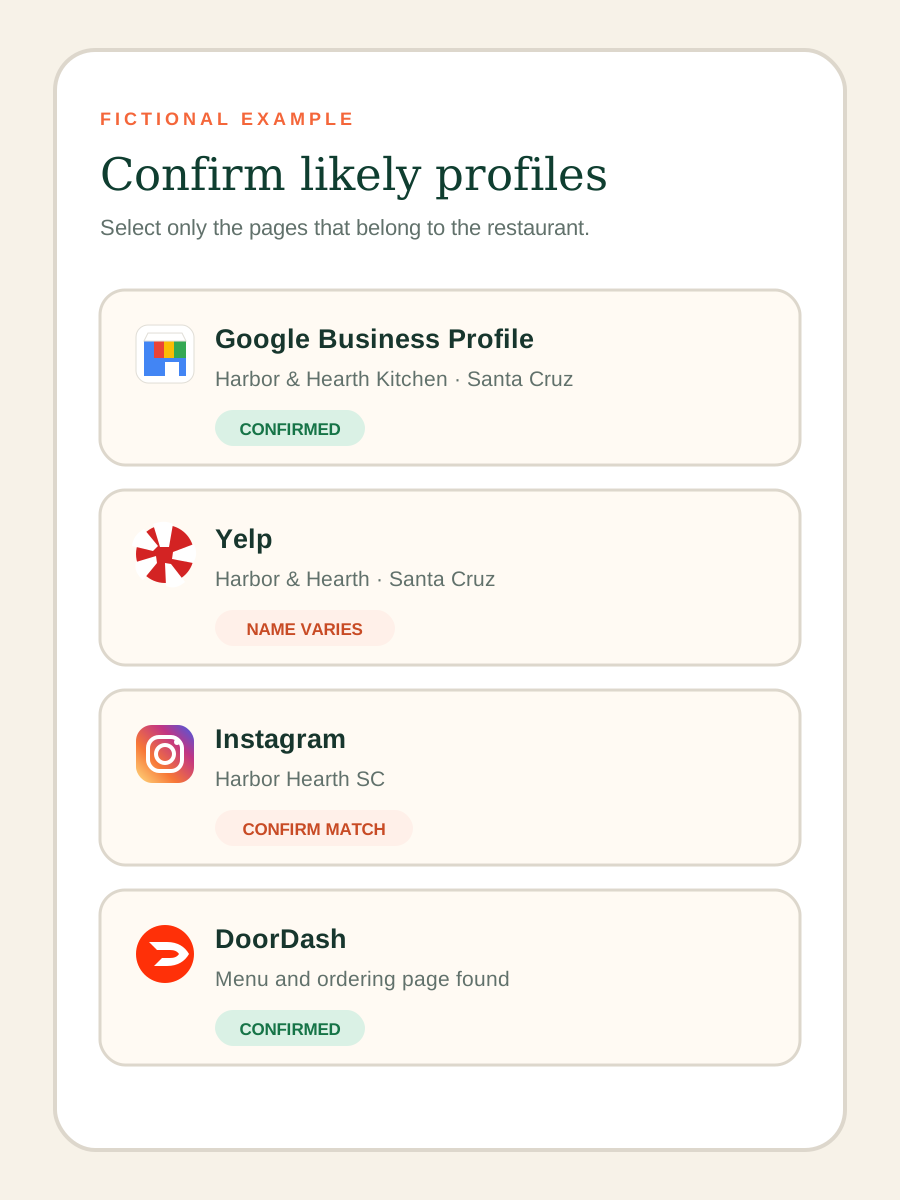
This is also where brand consistency becomes visible. In the fictional example used throughout this article, “Harbor & Hearth Kitchen,” “Harbor & Hearth,” and “Harbor Hearth SC” may all refer to the same restaurant, but the differences can make the business look disconnected. They can also make it harder for customers to know which profile is official. The checker surfaces those variations so the owner can decide whether the listings need to be standardized.
What the score does, and what it does not do
The score is a checklist score based on the items the checker can assess and the profiles the user confirms. It is meant to show how complete and connected the restaurant’s online presence appears at that moment.
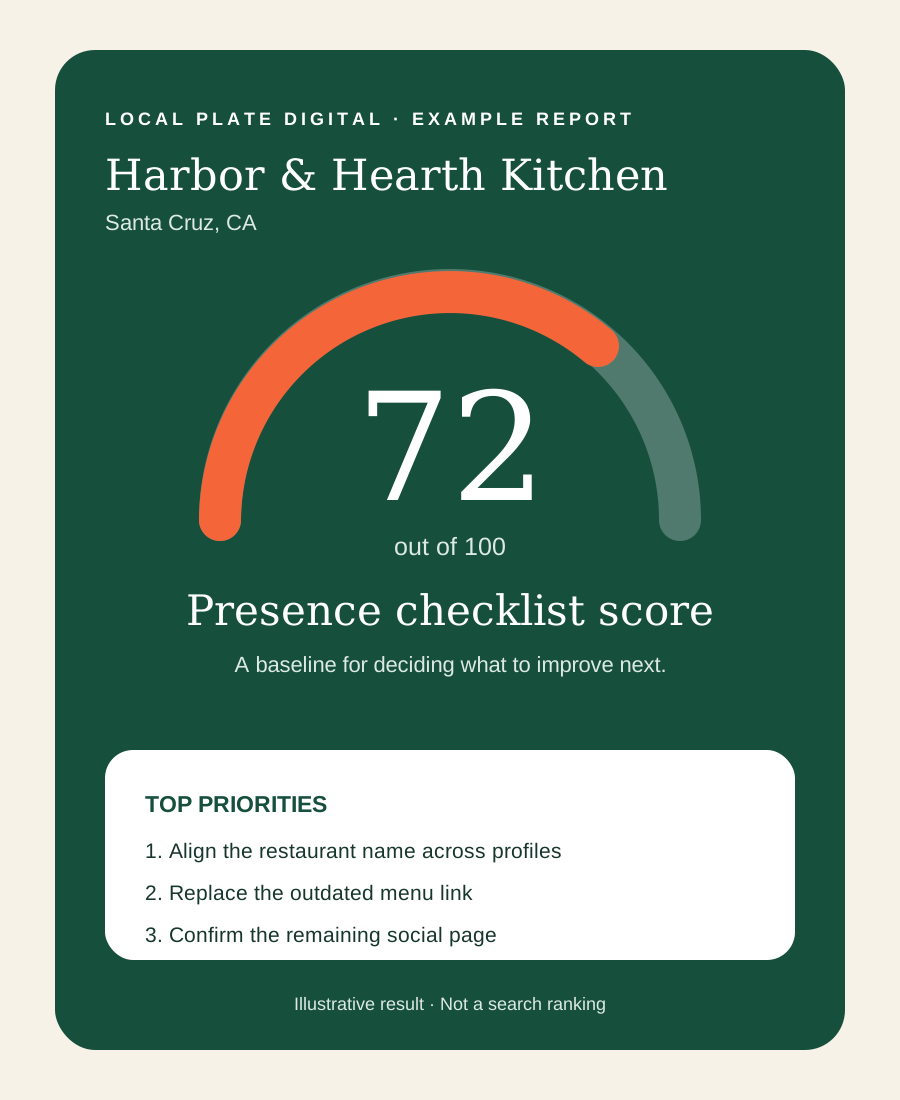
A lower score does not mean the restaurant is bad. It usually means important online signals are missing, unconfirmed, inconsistent, or difficult to connect. A higher score does not guarantee the top position in Google, more reviews, or more orders. Search visibility depends on many factors outside a checklist, including relevance, distance, prominence, competition, customer behavior, and the quality and freshness of the information.
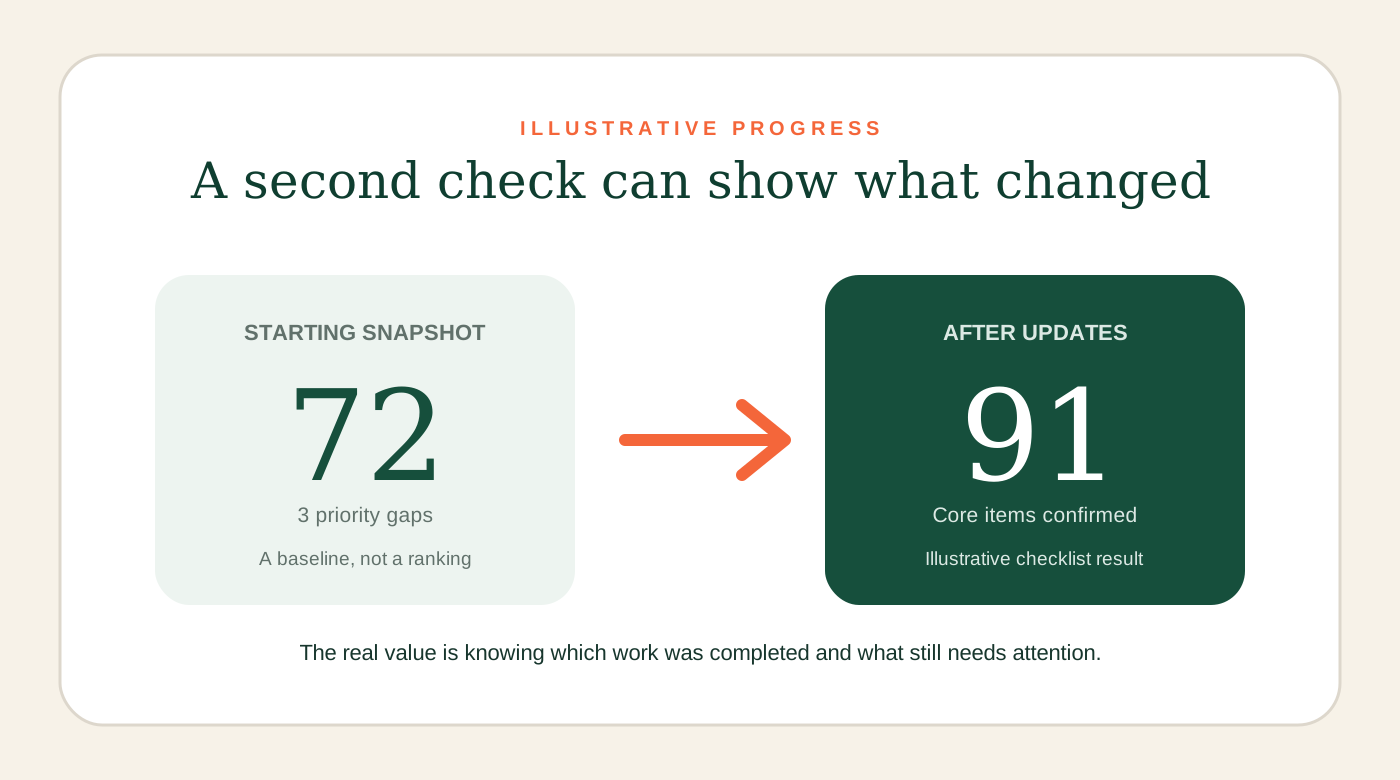
The score is most useful as a baseline. It gives an owner a way to see the current setup, make corrections, and run another check later. The movement matters because it reflects completed work: adding a real website, claiming a listing, correcting a business name, connecting a menu, or making mobile information easier to use.
The six areas behind a useful restaurant visibility report
1. Website foundations
A restaurant website should be the dependable home for information the business controls. The checker looks for foundational signals that help people and search engines use the site, including HTTPS, a clear page title, a useful description, mobile-friendly configuration, a main heading, and business details that identify the restaurant.
These details sound technical, but their purpose is simple. A page title helps label the page in browsers and can influence how a result is presented in search. Google provides guidance for both title links and search-result descriptions. Mobile setup matters because a hungry customer is often searching from a phone. A secure connection protects the visit and avoids an unnecessary trust warning.
If the restaurant does not have a dedicated website, the report treats that as an opportunity, not an automatic sales pitch. A delivery page can take orders, and a social profile can show photos, but neither gives the restaurant full control over its digital home. For more detail, see the restaurant website design approach and the guide to online problems that can cost restaurants orders.
2. Search visibility
Search visibility starts with being identifiable. The restaurant name, category, location, website, hours, phone number, and other essential details should make sense together. Google’s Business Profile guidelines emphasize accurate representation and consistent real-world branding, while the free profile gives owners control over how the restaurant appears in Search and Maps.
The checker cannot promise a ranking, and it should not. What it can do is show whether the basic pieces needed for a clear search presence are available. Fixing those pieces gives search engines and customers fewer reasons to hesitate.
3. Menu and ordering paths
Visibility is only valuable when a customer can act on it. If the menu is buried, the order button is broken, or delivery profiles are hard to locate, the restaurant can win the search and still lose the order. The checker reviews whether useful paths are present and helps identify where those paths stop connecting.
This is especially important when multiple delivery platforms are active. Each profile should point to the correct location, show recognizable branding, and make the current menu understandable. The article How to Turn Restaurant Searches Into More Orders covers the conversion side of that journey in more depth.
4. Guest essentials
Guests need practical information before they need marketing language. Hours, location, phone number, menu access, directions, ordering options, and reservation details remove uncertainty. If one platform says the restaurant is open and another says it is closed, the customer may not take the risk.
The checker helps turn those essentials into a reviewable list. The point is not to create more work. It is to identify the few updates that make the largest difference to someone trying to visit or order today.
5. Listing ownership
An unclaimed listing can still appear in search, but the owner may have limited control over its information. Claiming and managing important profiles makes it easier to correct hours, add the right website, respond to reviews, and keep photos and business details current. Yelp, for example, offers a business-claim process so owners can manage their page.
Ownership is also about resilience. If a platform changes a detail or a customer suggests an incorrect edit, a claimed and monitored profile gives the restaurant a better chance to catch and correct it.
6. Business profiles and brand consistency
Social, review, directory, and delivery profiles do different jobs. Instagram may create interest. Yelp may provide reviews and photos. Google may provide directions and hours. DoorDash, Uber Eats, or Grubhub may complete the order. Customers experience them as one restaurant, so the core identity should be consistent even when the platform is different.
The checker makes those profiles easier to compare. Name variations, missing links, and incomplete profiles become visible in one report instead of remaining scattered across tabs and apps.
How to use the report without trying to fix everything at once
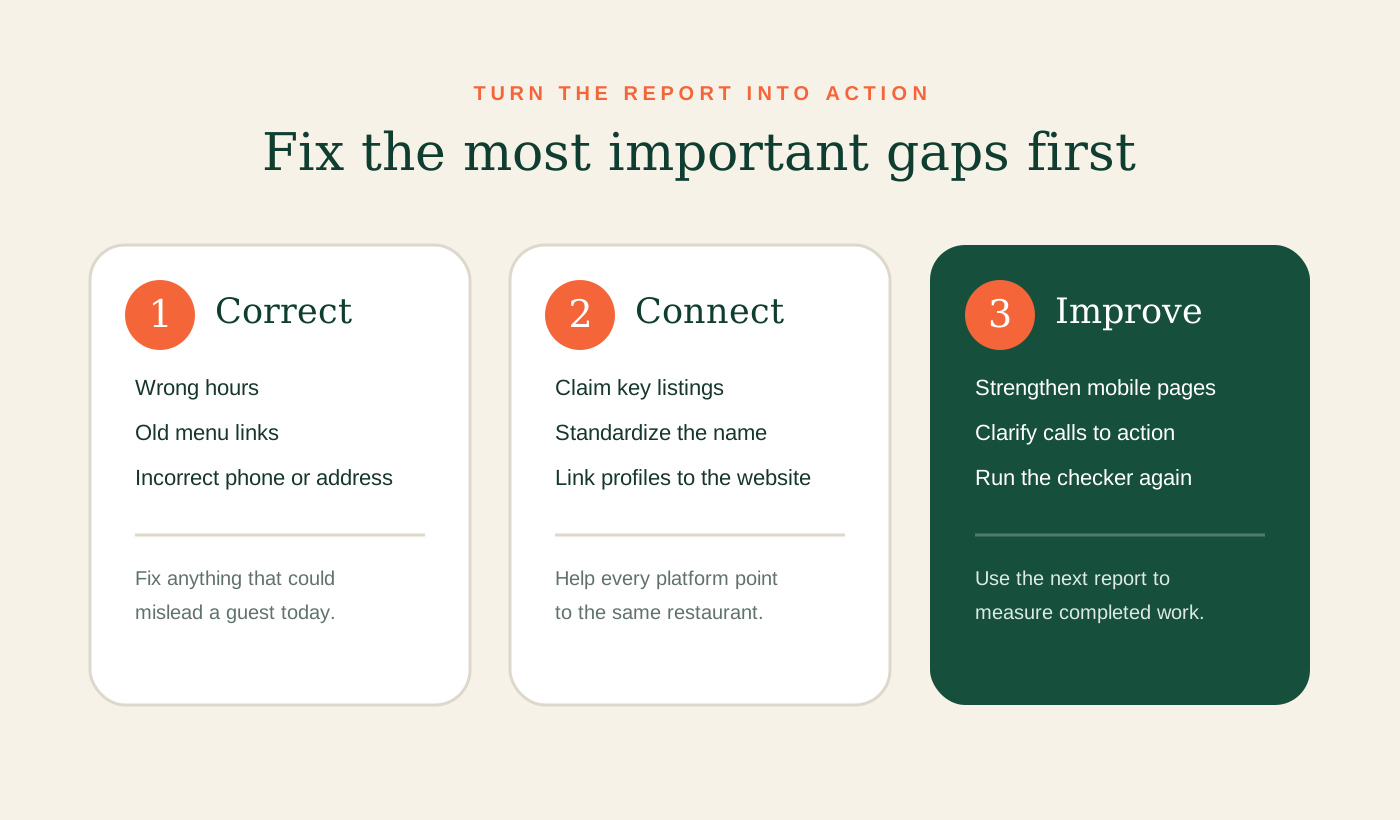
The most useful report is one that leads to action. I recommend working through the findings in this order:
- Correct information that can mislead a guest. Fix wrong hours, addresses, phone numbers, menus, and order links first.
- Secure the profiles you depend on. Claim or confirm the important Google and Yelp listings, along with the social and delivery accounts the restaurant actively uses.
- Choose one consistent restaurant name. Use the same core name, location details, and website across platforms wherever possible.
- Strengthen the owned website. Make the mobile experience fast and direct, with visible hours, location, menu, and action buttons.
- Connect discovery to action. A person who finds the restaurant should have a clear route to call, visit, reserve, or order.
- Run the check again. Use the new report as proof of what changed and a guide to the next round of improvements.
A restaurant does not need every possible platform. It needs the platforms its customers use, and it needs those platforms to be accurate and connected. The checker is built to help owners prioritize instead of chasing every marketing trend.
Why this matters most for independent restaurants
Large chains have teams, systems, and software dedicated to location data, websites, menus, delivery platforms, and social media. Independent restaurants usually have an owner or manager handling those tasks between staffing, purchasing, service, and everything else required to run the business.
That reality is exactly why a visibility check should be understandable. A restaurant owner should not need a technical audit full of jargon before learning that the website link is wrong or the business name changes across five profiles. The report should show the gap, explain why it matters, and make the next step clear.
Local Plate Digital was built around that kind of practical help. The Visibility Checker is not meant to replace an owner’s judgment. It gives that judgment better information. It can also create a clearer starting point for a deeper restaurant audit, a website project, a delivery-menu cleanup, or a broader local visibility plan.
A clearer first step for being found online
Restaurants do not lose visibility all at once. It fades through disconnected details: one outdated listing, one missing website, one confusing profile name, one broken order link, and one mobile page that makes a customer work too hard.
The Local Plate Digital Visibility Checker brings those details into one place. It shows what a customer can find, asks the owner to confirm what is real, reviews the restaurant’s core online setup, and turns the result into a prioritized starting point.
Good food deserves to be easier to find. The first step is seeing the restaurant’s online presence the way a new guest sees it.
Know what is there. See what is next.
Run a free initial visibility check, review your restaurant’s online footprint, and find the next improvements that can make it easier for customers to discover and choose you.
Check your restaurant visibility